Companion utility for Intel-based hardware
Intel Driver & Support Assistant is a free utility tool that was developed by Intel for PC devices. This device manager program was created specifically to work and help manage Intel-based hardware and components that are used in a wide variety of desktop PC and laptop products.
Intel Driver & Support Assistant, or Intel DSA, serves as a form of replacement to dedicated driver programs like the Intel Graphics Driver and Intel Wireless Bluetooth Software. It consolidates these types of software from the company into a single and unified interface for easier management and updating.
What is Intel Driver & Support Assistant?
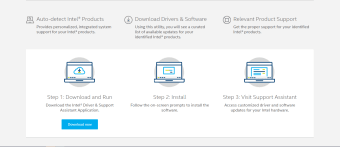
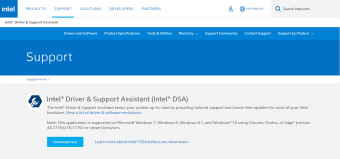
Intel Driver & Support Assistant, also known as Intel DSA, helps you manage Intel-based hardware that is found on your desktop PC or laptop. Using this utility, you will be able to download and update drivers for components, including integrated graphics, network adapters, and many others. It automatically detects installed software and will offer to download new versions if any are available.
Upon installation, its program icon will appear on your system tray. Right-click on it to access its menu. There are options to check for driver updates, visit the FAQs page, contact customer support, and change various program settings. Alternatively, you can double-click on the icon to initiate an auto-scan. You will be directed to the Downloads webpage if new updates are available.
Do take note of a couple of things before using Intel DSA, though. Firstly, it does not support all Intel hardware and you will have to refer to its support page for a full list of compatible devices. Another is that while its Auto-check feature is handy, it can sometimes provide false-positive results for drivers that are already installed and up-to-date.
A convenient update utility for Intel devices
Intel Driver & Support Assistant is a handy utility that provides an easy and convenient way to manage and update driver software and ensure that your computer is running smoothly. If your device is included in its compatibility list, this is a highly recommended program to download and install.